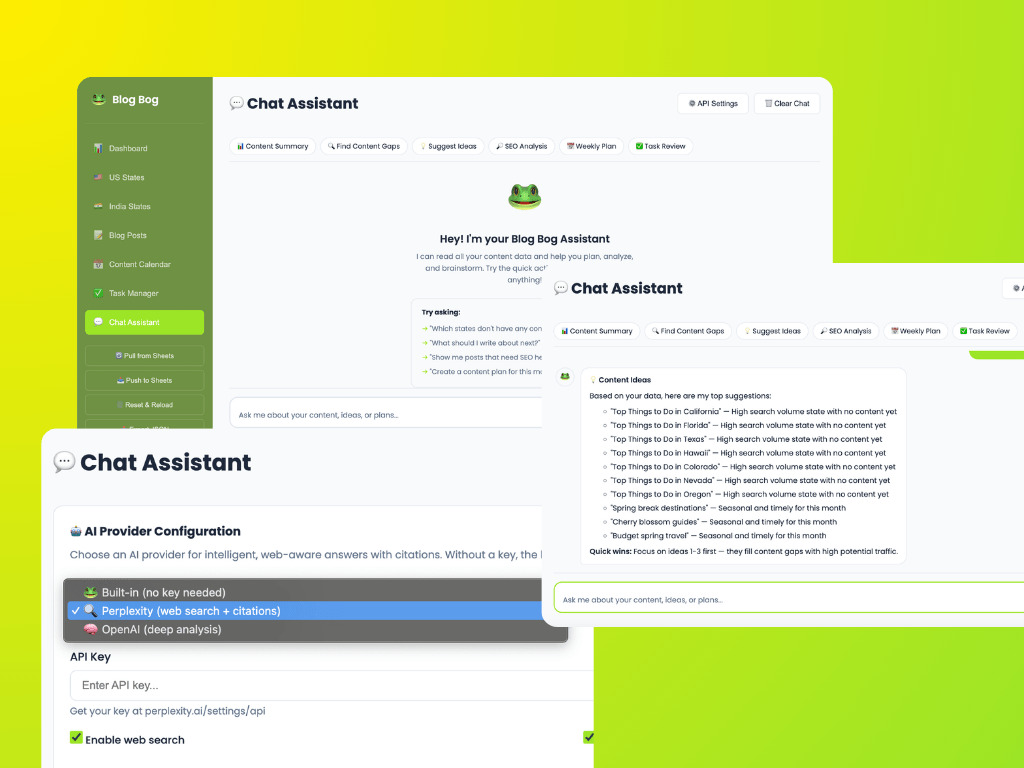
After a week of using Blog Bog’s beta, I identified a gap: while the platform stored valuable creator data, it didn’t actively help users interpret or act on it.
I proposed and built a chat assistant to bridge that gap. What started as a straightforward “read my data and answer questions” feature quickly evolved into a deeper exploration of agent design, surfacing insight over information, navigating ambiguity, and designing for trust.
Here’s what I learned.
How Should an Agent Surface Information?
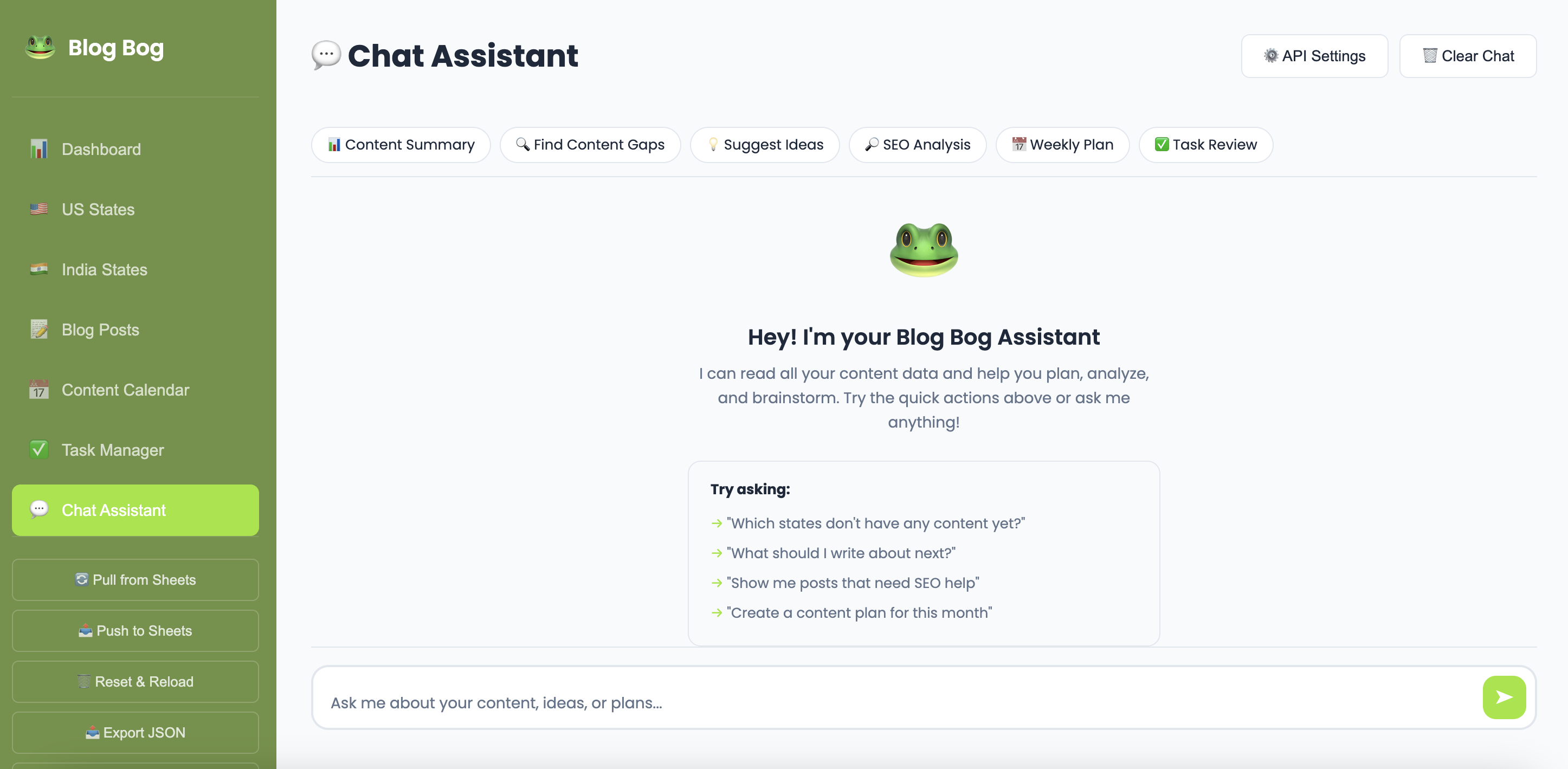
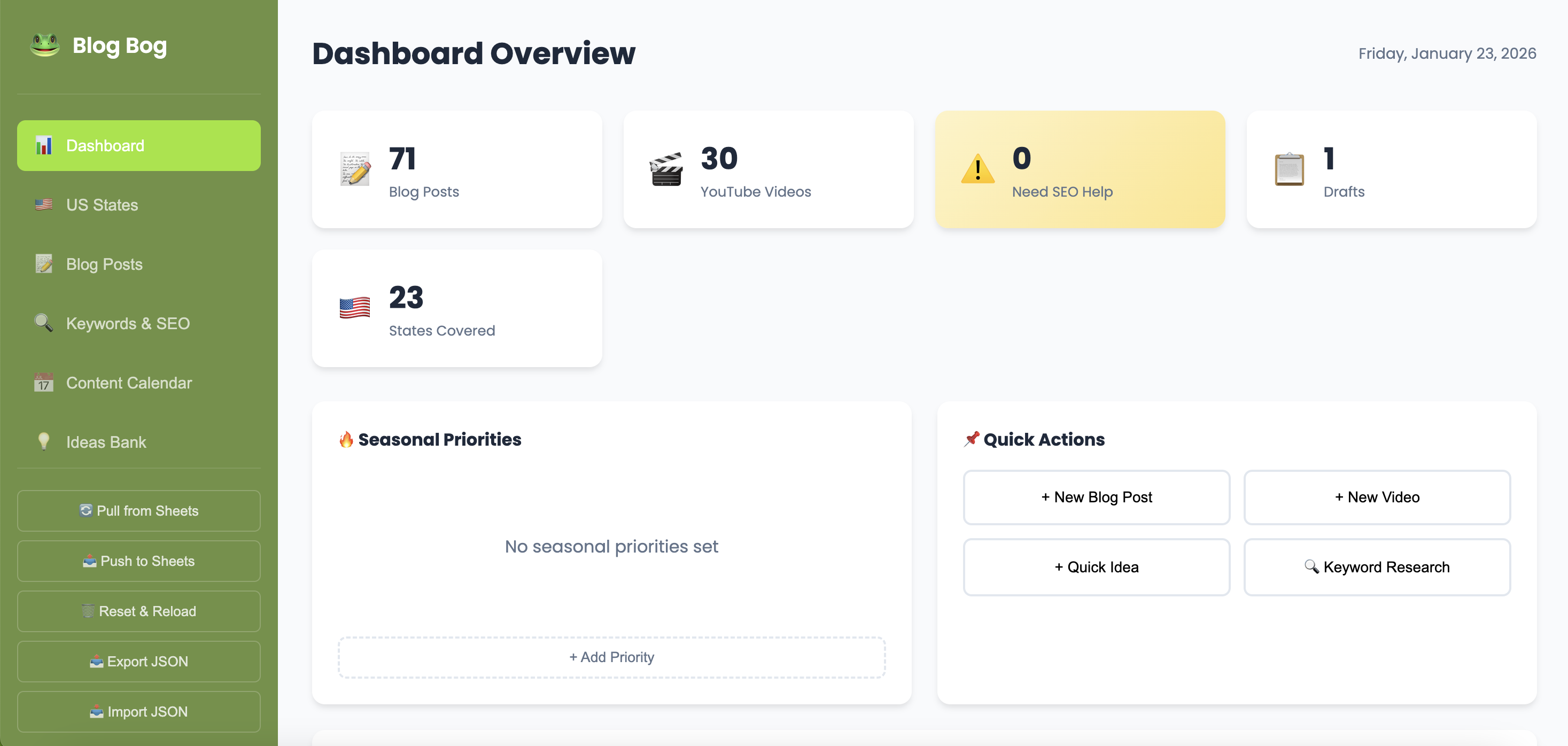
The first version of our assistant could access a user’s content data, blog posts, videos, tasks, and state coverage, and respond to questions. Simple enough.
But reading data and surfacing useful information are very different things.
Early on, the assistant would dump raw metrics back to the user. Ask, “How’s my content doing?” and you’d get a list of numbers. Technically correct. Completely unhelpful.
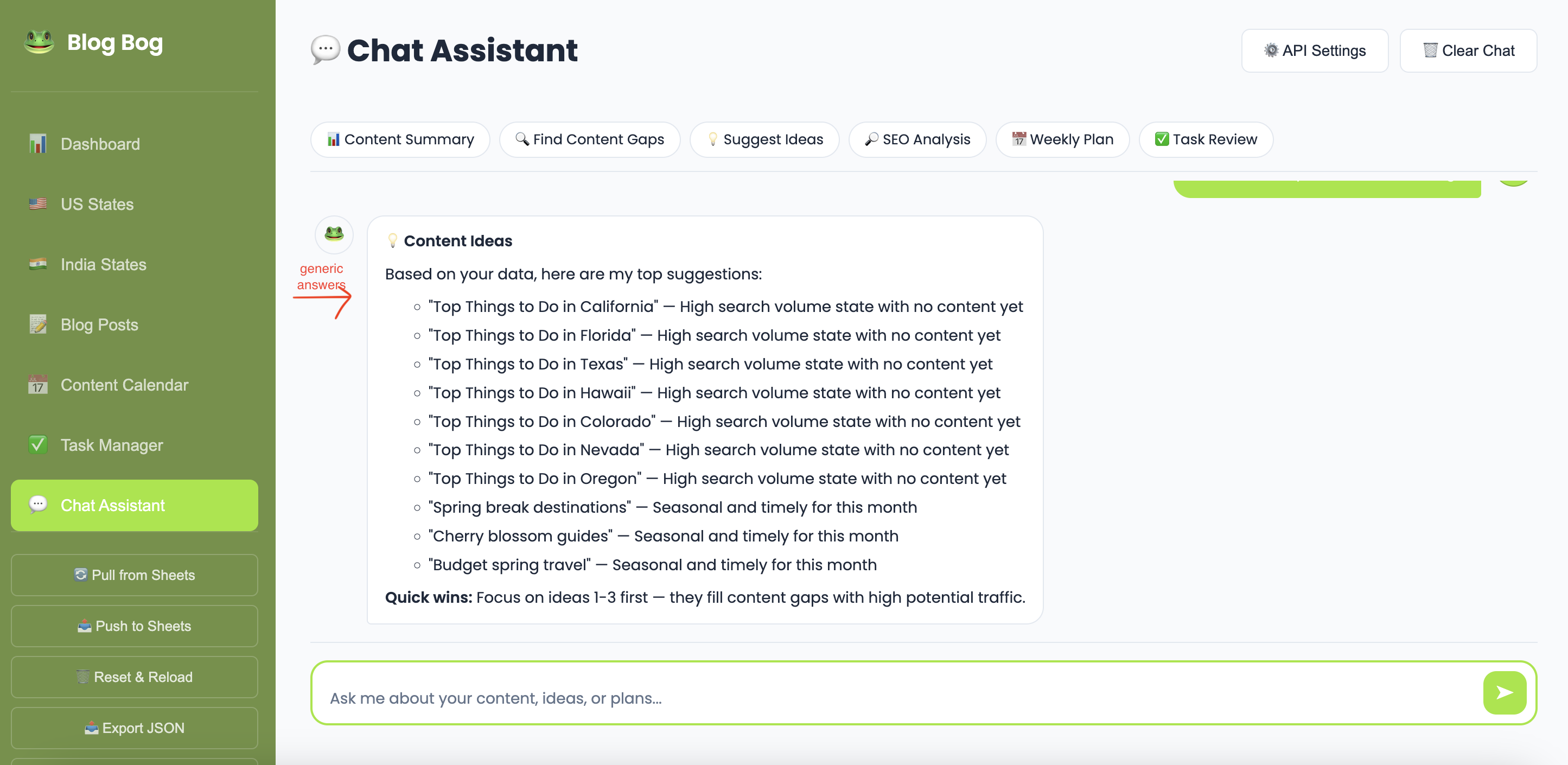
The real challenge was shifting the agent from descriptive to analytical.
Instead of:
“You have 12 published posts and 5 drafts.”
It needed to say:
“You have 5 drafts sitting idle — publishing even 2 of them this week would be your quickest win.”
The difference is intent.
A useful agent doesn’t just retrieve information, it interprets it in the context of what the user is trying to accomplish.
To enable this, I implemented layered context. The agent receives not only raw data but also pre-computed analysis: SEO health scores, coverage percentages, content gaps, and seasonal relevance. These structured insights give the agent building blocks for strategic recommendations rather than data recitation.
I also introduced quick-action chips: prompts like “Content Gaps,” “SEO Analysis,” and “Weekly Plan.” This turned out to be critical.
An open text box with “Ask me anything” is paradoxically less useful than specific starting points. Users don’t always know what to ask. Showing them the menu reduces cognitive load and improves discoverability.
How Should an Agent Handle Ambiguity?
When a user types, “What should I do next?” what are they really asking?
- Write a new post?
- Fix SEO?
- Finish a draft?
- Complete a task?
- Plan next month’s content?
My initial approach relied on keyword matching, scanning for terms like “SEO,” “plan,” or “task” and routing the query accordingly. This works for explicit intent but breaks down when questions are vague or span multiple concerns.
The honest answer: the agent still doesn’t handle deep ambiguity well.
In built-in mode, it makes its best guess based on keyword signals. When powered by providers like OpenAI or Perplexity, the language model interprets nuance better, but it still doesn’t proactively ask for clarification.
This surfaced a clear design gap.
The Missing Layer: Clarifying Questions
A well-aligned agent shouldn’t always answer immediately. Sometimes the best response is:
“Can you clarify what you mean?”
There are two primary approaches, each with distinct UX implications:
1. Natural Language Follow-Ups
The agent responds conversationally:
“Are you looking for SEO help or new content ideas?”
This feels intuitive but requires the user to type another message. It can also introduce more ambiguity rather than resolve it.
2. Structured Options
The agent presents clickable choices:
- SEO Analysis
- Content Ideas
- Weekly Plan
This constrains the interaction but dramatically reduces friction, one click instead of composing a sentence.
The right solution likely blends both. For clearly defined forks (“US states or India states?”), structured options are faster. For exploratory prompts (“Tell me more about your content strategy goals”), natural language is more appropriate.
We haven’t implemented a clarification layer yet. Currently, the agent makes its best guess and proceeds. Introducing a pause-and-clarify step is a meaningful next iteration.
The Trust Problem: Citations & Hallucinations
The first version of the assistant had a fundamental trust issue: users couldn’t tell whether answers were based on real data or generated assumptions.
If the agent says,
“Colorado gets 15 million visitors per year,”
is that a verified fact? A hallucination? The user has no way of knowing without leaving the platform, which defeats the purpose of an assistant.
This challenge has two dimensions:
1. Data-Backed Answers
When analyzing a user’s own content, the agent should be reliable because it’s working from structured local data. But even small miscounts or misinterpretations erode trust quickly.
2. Knowledge-Backed Answers
For travel trends, SEO practices, or keyword suggestions, the agent relies on training data or web search. Without citations, users must make a trust decision on every sentence.
Citations as a Trust Mechanism
To reduce hallucination risk, we integrated Perplexity AI as a provider option. Its API returns citations, source URLs used to construct responses, which we render as clickable, numbered references.
This meaningfully shifts the dynamic. When the agent states,
“Travel searches for Colorado peak in June [1],”
and users can click [1] to verify the source, the response becomes auditable. The assistant isn’t asking for blind trust, it’s showing its work.
We also introduced visual differentiation. A subtle indicator (“Searching the web & analyzing your data…”) signals when the agent is pulling external sources versus working from local data. This small UX detail helps users form a clearer mental model of how answers are generated.
Citations don’t eliminate hallucinations. But they transform silent misinformation into verifiable claims, a significant improvement.
What’s Next
The assistant can now:
- Analyze user data
- Provide strategic recommendations
- Search the web (when enabled)
- Cite sources
But the identified gaps define a clear roadmap:
- Clarifying questions — Allow the agent to pause before guessing, using structured options and natural language as appropriate
- Confidence indicators — Signal when answers are data-backed vs. speculative
- Source differentiation — Visually distinguish local data insights from external web findings within a single response
Core Takeaway
A useful agent isn’t simply one that answers questions.
It’s one that knows:
- When to answer
- When to ask
- And how to show its reasoning
We’re not there yet. But each iteration moves closer to building an assistant that is not just intelligent, but aligned, transparent, and trustworthy.
 Meenakshi's Portfolio
Leave a comment