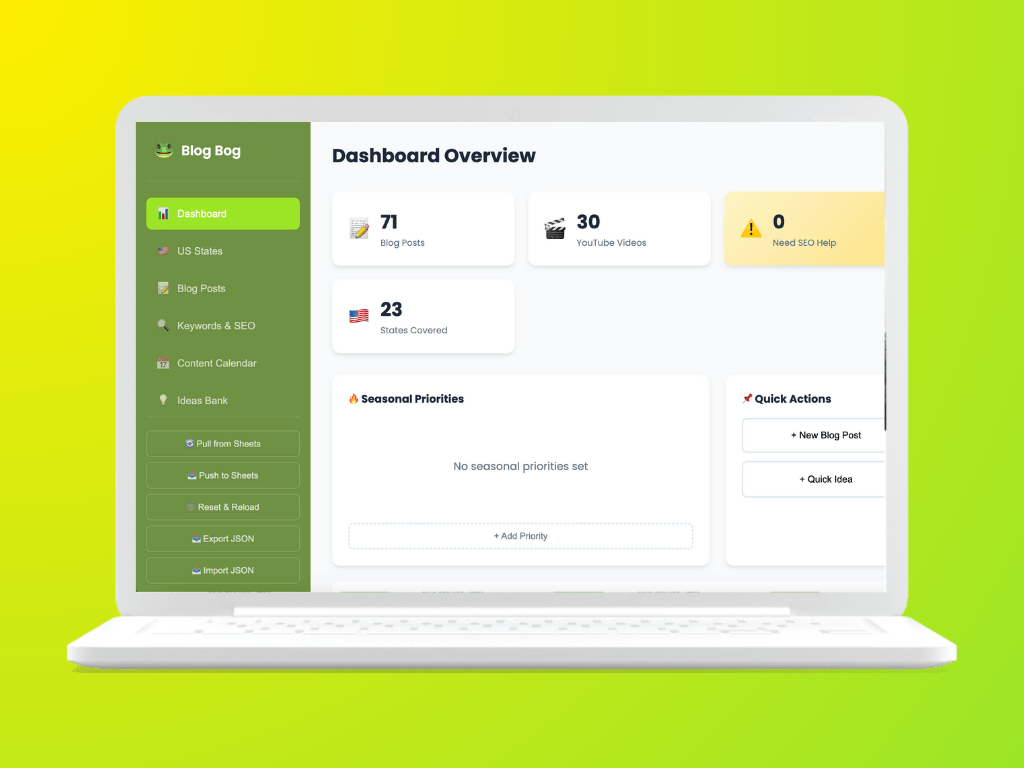
As a content creator, I was struggling with scattered posts and videos tracked across multiple spreadsheets, making it impossible to see content coverage gaps, plan strategically, or maintain an organized content calendar.
Blog Bog, a unified dashboard helped me solve this problem. I built it using VS Code + GitHub Copilot as my primary collaborator, giving me firsthand experience with the exact challenges this role addresses: how humans and AI agents work together.
TL;DR
Built using VS Code + GitHub Copilot, this project also served as a hands-on exploration of human-AI collaboration patterns, directly informing my perspective on designing trustworthy, explainable agent experiences.
Solution – To create a custom-built content management dashboard (Blog Bog) to create a centralized web app for content tracking and management, eliminating spreadsheet chaos and streamlining planning for bloggers and content creators like myself.
Key Results – A Unified dashboard, Automated sync with Google Sheets, Zero-cost hosting on Azure Static Web Apps and Category-based organization for better content discovery
Learning to Communicate with an Agent
The first hour was spent understanding how to interact with the AI effectively. My hypothesis, tested by running identical prompts through Perplexity, Gemini, and ChatGPT in parallel: each agent interprets input differently.
Because Copilot was trained on my codebase context, its responses were closest to my intent, proving the following:
- Context Shapes Trust – A key insight for content design. Users need to understand how an agent interprets their input, not just what it outputs.
- Designing for Clarity and Correction – What made collaboration effective was transparency in interpretation.
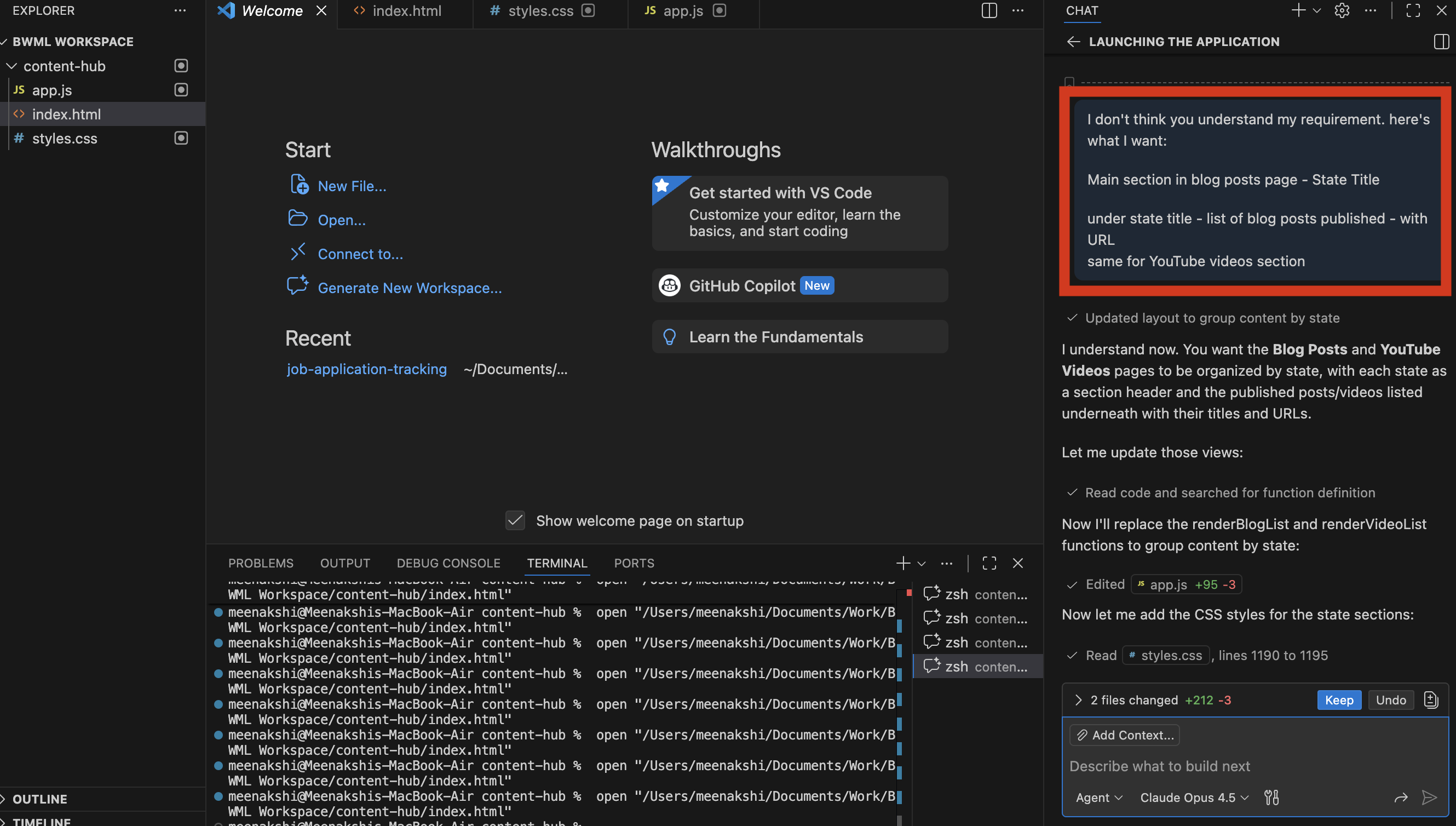
Copilot showed me what it understood from my input, giving me the opportunity to correct misunderstandings before they became errors. I wanted to understand the following points:
- How an agent explains decisions – Seeing the agent’s interpretation builds trust
- How it asks for guidance – Ambiguity prompts became opportunities for refinement
- How people stay in control – I could course-correct before committing to code
Impact on Design Velocity Working with an AI collaborator reduced design-to-prototype time significantly. Because I could generate working prototypes rapidly, I experimented more freely, testing ideas I would have cut for time constraints in a traditional workflow.
This experience shaped my perspective, the language layer between humans and AI agents is the design layer. How an agent introduces itself, asks questions, explains uncertainty, and invites correction, these aren’t just UX details. They’re the product.
The Challenge
As a travel blogger covering destinations across the United States, managing content became increasingly difficult:
- Scattered Information: Blog posts and YouTube videos were tracked in separate spreadsheets with no unified view
- No Geographic Visibility: Hard to see which states had content coverage and which had gaps
- Manual Updates: Every new post required updating multiple tracking documents
- Lost Opportunities: Content ideas were getting lost without a proper tracking system
- SEO Blind Spots: No way to quickly identify which content needed optimization
Impact of the Problem
- Hours spent weekly on manual content tracking
- Missed opportunities for state-specific content
- Difficulty planning content calendars
- No clear picture of overall content portfolio
The Solution
Approach
I built a lightweight, browser-based content management dashboard that:
- Centralizes all content in one visual interface
- Organizes by geography (US states) and categories
- Syncs automatically with existing Google Sheets workflow
- Requires no database – runs entirely in the browser
- Deploys for free on Azure Static Web Apps
Technology Choices
| Requirement | Solution | Rationale |
| Fast development | Vanilla HTML/CSS/JS | No framework overhead, easy to maintain |
| Data persistence | localStorage | No database costs, instant saves |
| External data | Google Sheets CSV | Leverages existing workflow |
| Hosting | Azure Static Web Apps | Free tier, global CDN, custom domain support |
| Deployment | Azure SWA CLI | Simple one-command deploys |
Features Delivered
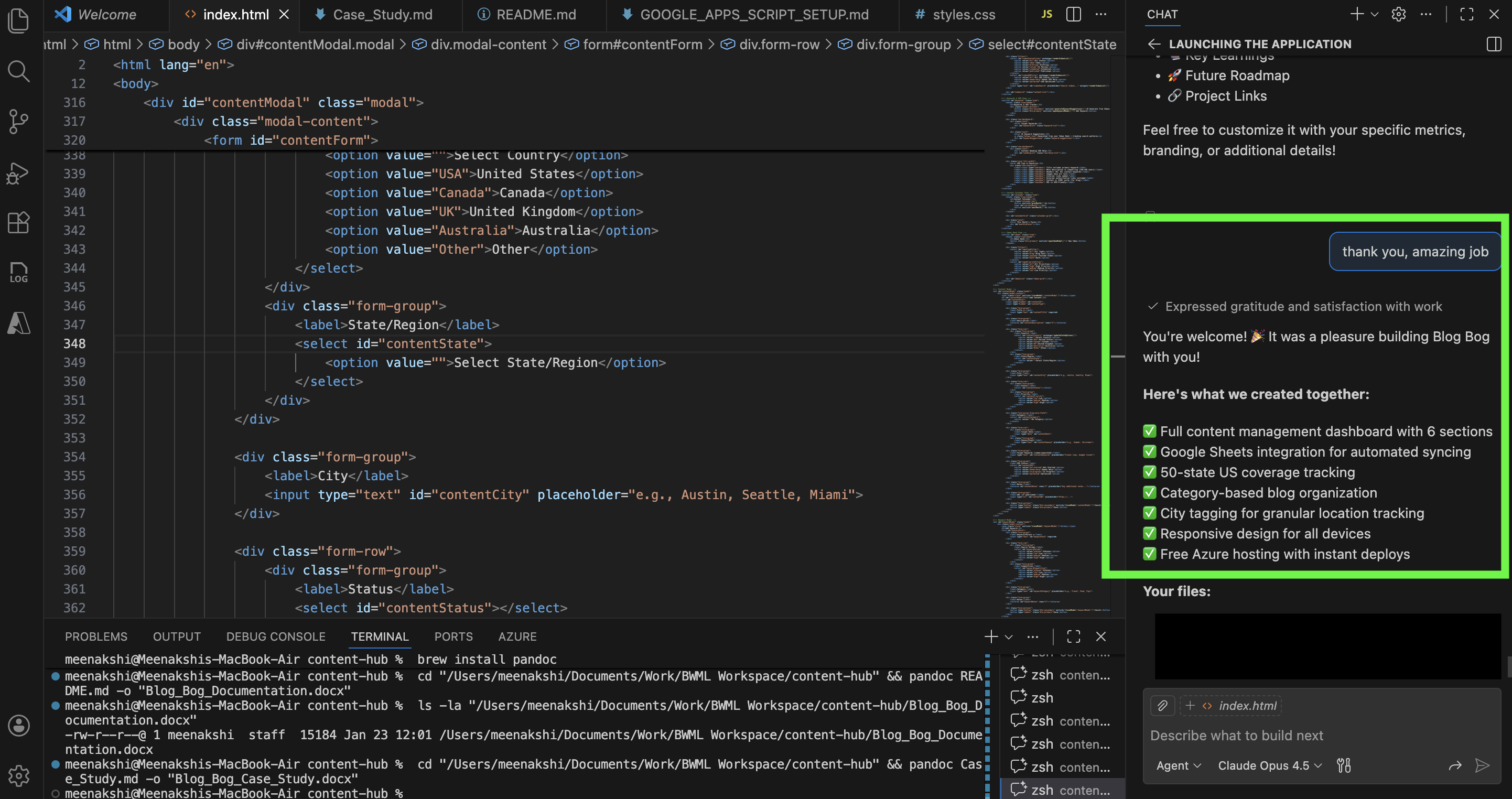
1. Dashboard Overview
A single-glance view showing – Total blog posts, videos, and keywords tracked; Number of states with content coverage; Recent activity feed; Visual state coverage grid.
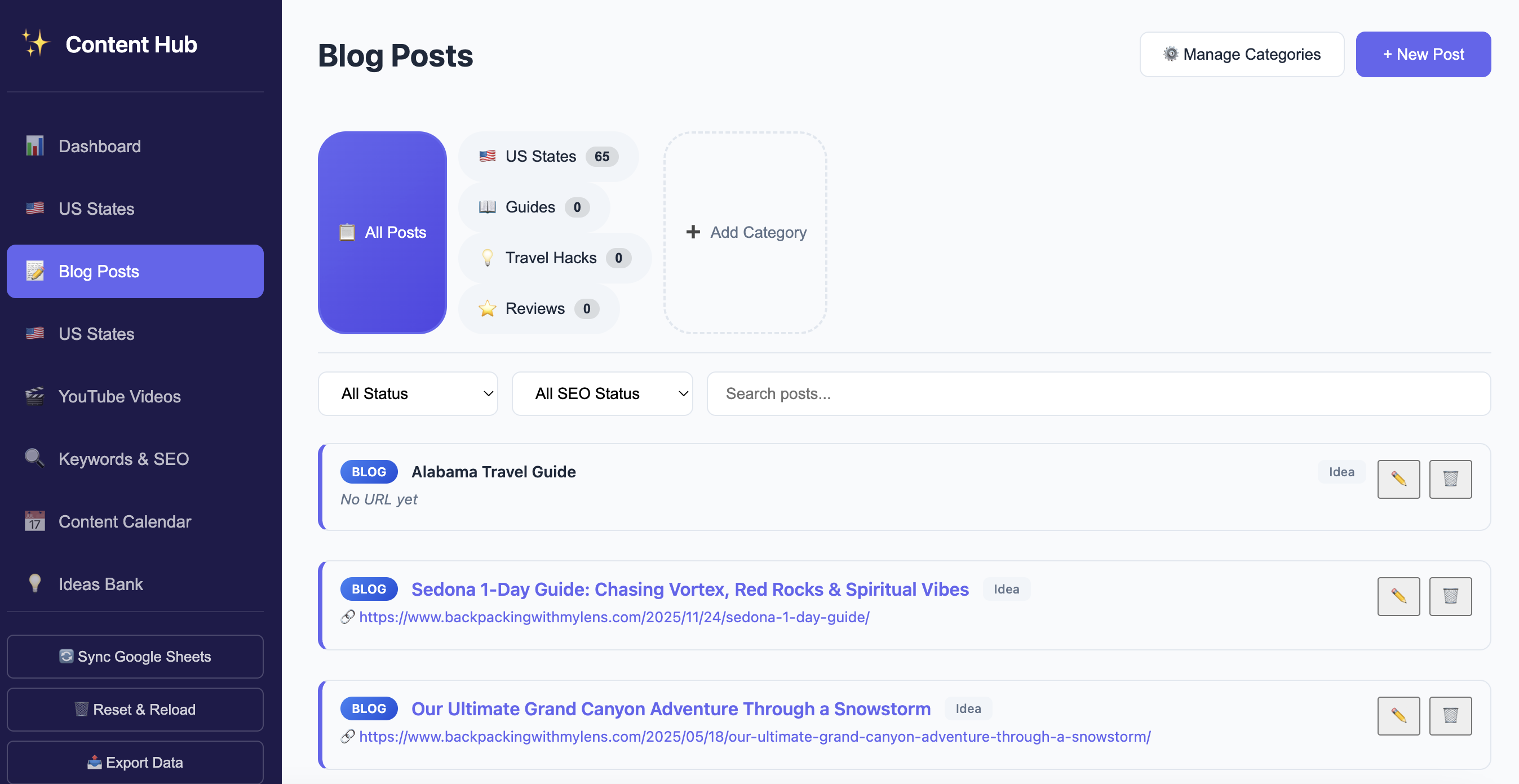
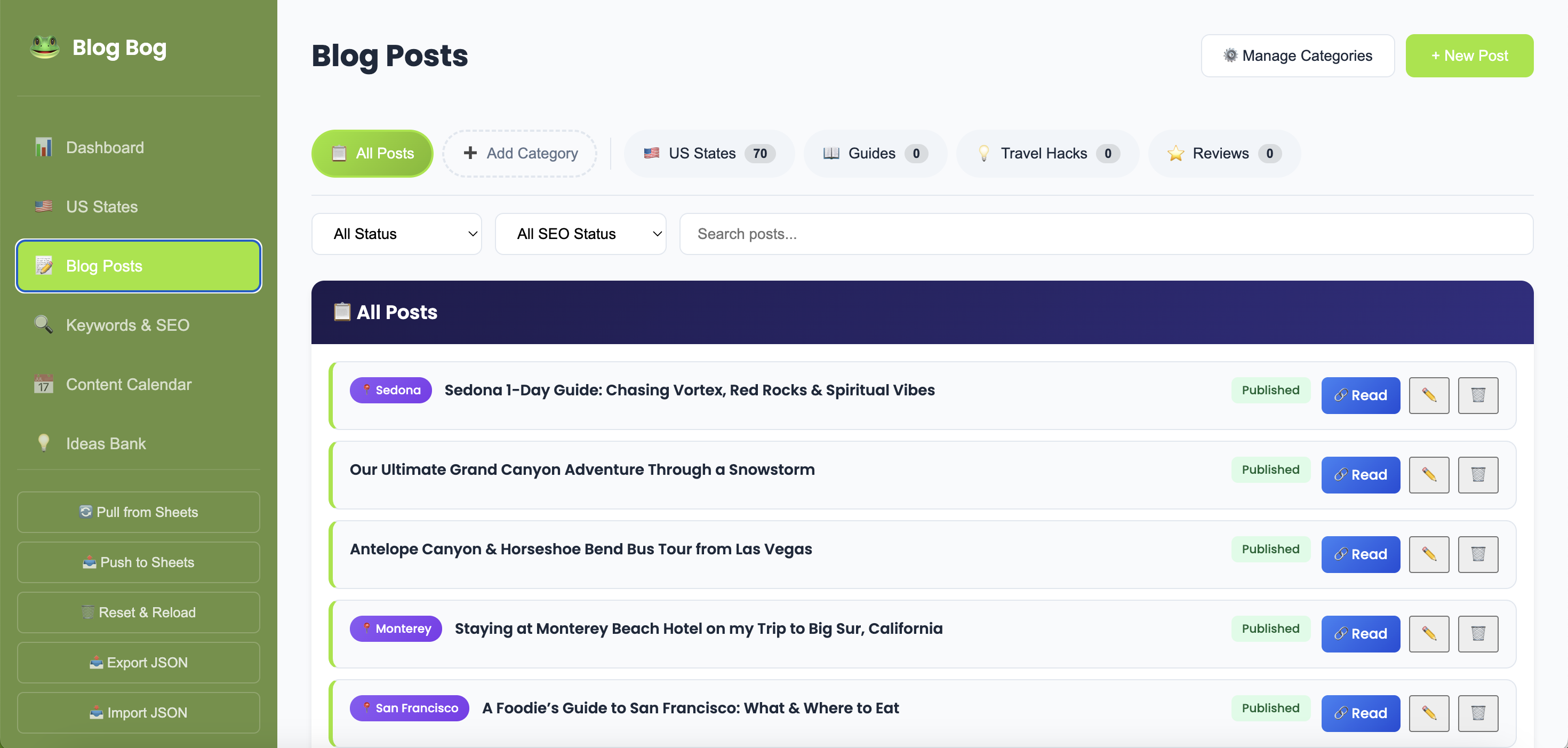
2. Blog Posts Management
- Category Tabs: Filter by US States, Guides, Travel Hacks, Reviews, or custom categories
- Smart Filtering: By status (Idea/Draft/Published) and SEO status
- Quick Actions: Edit, delete, and open posts directly
- City Tagging: Track specific cities within each state
3. YouTube Video Tracking
- Unified video library with state organization
- Status tracking for video production pipeline
- Direct links to watch videos
- SEO optimization status
4. US States Coverage Map
- 50-State Accordion: Expandable view for each state
- Content Counts: Visual badges showing posts and videos per state
- Dual Content Types: Separate sections for blog posts and videos
- Color-Coded Actions: Blue “Read” buttons for blogs, red “Watch” for videos
5. Google Sheets Integration
- One-click sync from published Google Sheets
- Automatic content type detection (Blog vs YouTube)
- Duplicate prevention
- Preserves existing manual entries
6. Content Ideas Pipeline
- Capture ideas before they’re lost
- Priority levels for planning
- One-click conversion to blog posts
Implementation Timeline
| Phase | Duration | Deliverables |
| Discovery | 1 hour | Requirements gathering, wireframes |
| Core Build | 3 hours | Dashboard, blog/video pages, data structure |
| US States | 1 hour | 50-state accordion, content mapping |
| Google Sync | 3 hours | CSV parsing, sync functionality |
| Polish | 4 hours | UI refinements, category system, city tags |
| Deployment | < 1 hour | Azure Static Web Apps setup |
Total Development Time: 14 hours approximately (about 2 working days)
Results & Benefits
Quantitative Improvements
| Metric | Before | After | Improvement |
| Time to find content gaps | 30+ mins | Instant | 100% reduction |
| Content tracking updates | Manual | Automatic | Eliminated manual work |
| Monthly hosting cost | N/A | $0 | Zero cost |
| Views to see all content | Multiple spreadsheets | 1 dashboard | Unified view |
Qualitative Benefits
- Better Content Planning: Instantly see which states need coverage
- Streamlined Workflow: Add content from one interface
- Professional Organization: Category-based content structure
- Preserved Existing Workflow: Google Sheets still works alongside
- Mobile Accessible: Responsive design works on all devices
- Future-Proof: Easy to add new features as needs evolve
Key Learnings
What Worked Well
- Vanilla JavaScript: No framework meant faster development and easier debugging
- localStorage: Perfect for single-user applications, no backend needed
- Google Sheets Integration: Bridged the gap between existing workflow and new tool
- Iterative Development: Building features one at a time allowed for quick adjustments
- Human-AI Collaboration Patterns: Working with Copilot revealed that agent trustworthiness depends on three factors that apply directly to designing AI agent content and conversational flows:
- Clarity about how input is interpreted
- Transparency in decision-making
- Easy pathways to correct and stay in control
Challenges Overcome
- State Name Matching: Implemented case-insensitive matching for reliable data sync
- Duplicate Prevention: Added title-based deduplication during import
- Category Flexibility: Created dynamic category system for future expansion
Future Roadmap
Potential enhancements for future iterations:
- Analytics Integration: Track post performance
- Interactive Map: Visual US map with clickable states
- Content Calendar: Plan and schedule posts
- Advanced SEO Tools: Keyword density, meta tag suggestions
- Multi-User Support: Firebase/Supabase backend for collaboration
- PWA: Install as mobile app
Conclusion
Blog Bog demonstrates that effective tools don’t need to be complex, but building it with an AI agent taught me something deeper about the future of work. The real design challenge isn’t the dashboard; it’s the collaboration layer between humans and intelligent systems.
Designing language that builds trust, explains decisions, handles uncertainty, and keeps humans in control is now core to product design. This project gave me firsthand experience with that challenge, and a clear perspective on how to approach it at scale.
 Meenakshi's Portfolio
Leave a comment