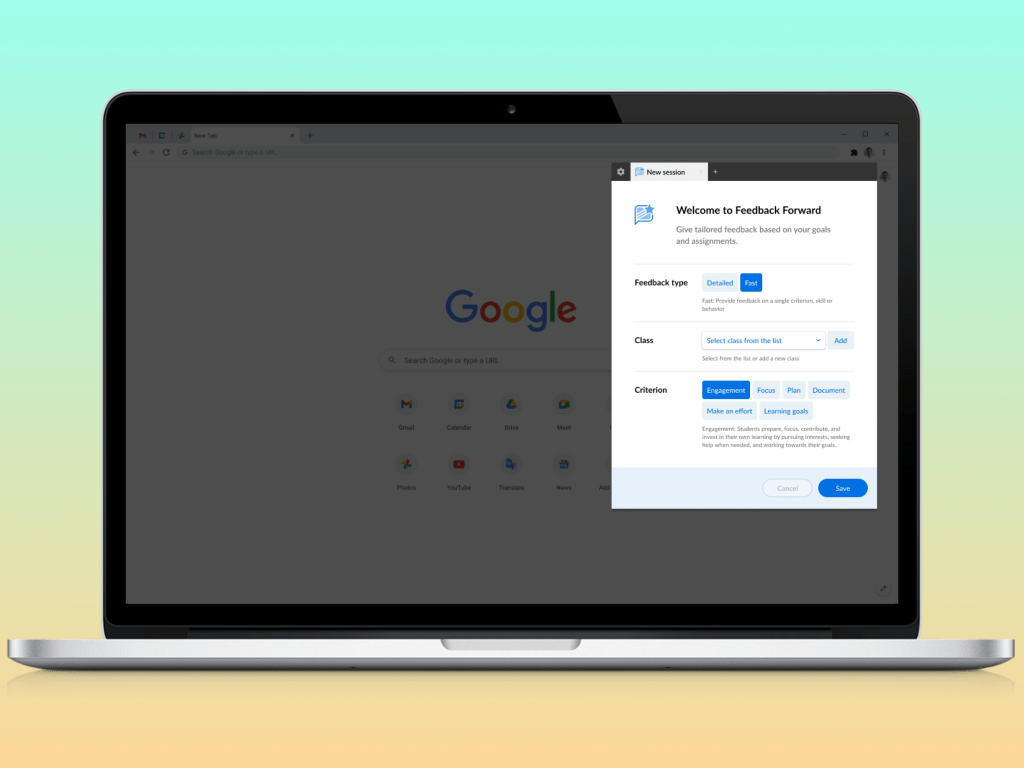
Situation
The old process for teachers to provide daily observations (feedback) for students was time-consuming and lacked a standardized format, leading to inconsistencies in the quality and quantity of feedback given.
Task
The goal was to create a Browser Extension tool similar to an existing feature in the Quest LMS (Legacy App) called “daily engagement observations”. The goal of this feature was to allow teachers to efficiently provide feedback on a specific criterion for each student in their class. It should include a default indicator language for ease of use but also allow customization to match teaching styles and objectives.
Note: This tool is only available for clients part of the Opportunity Education Network.
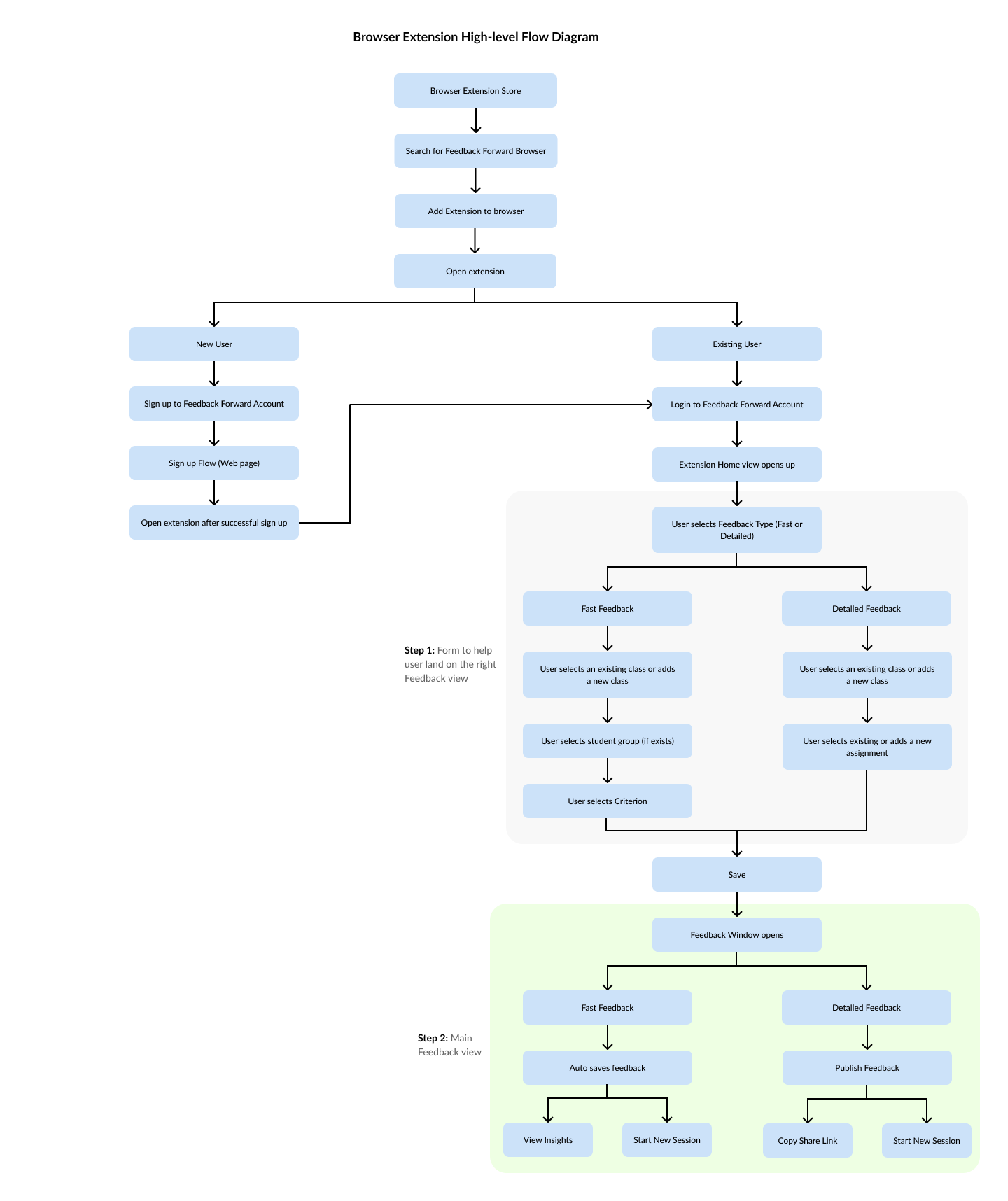
User Personas & Flow
The browser extension was mainly built for the first two user types (teachers)

Action
Design Principles & Process:
- Applied Lean UX principles to streamline the design process.
- Studied the existing User Personas and created user flows with 3 major goals in picked from preferred solutions suggested by legacy app users.
- Simple Design with minimal steps and quick action.
- Data-driven Insights.
- Easy Integration with existing tools (Sign up & exporting data from existing tools like Clever and Google Classroom).
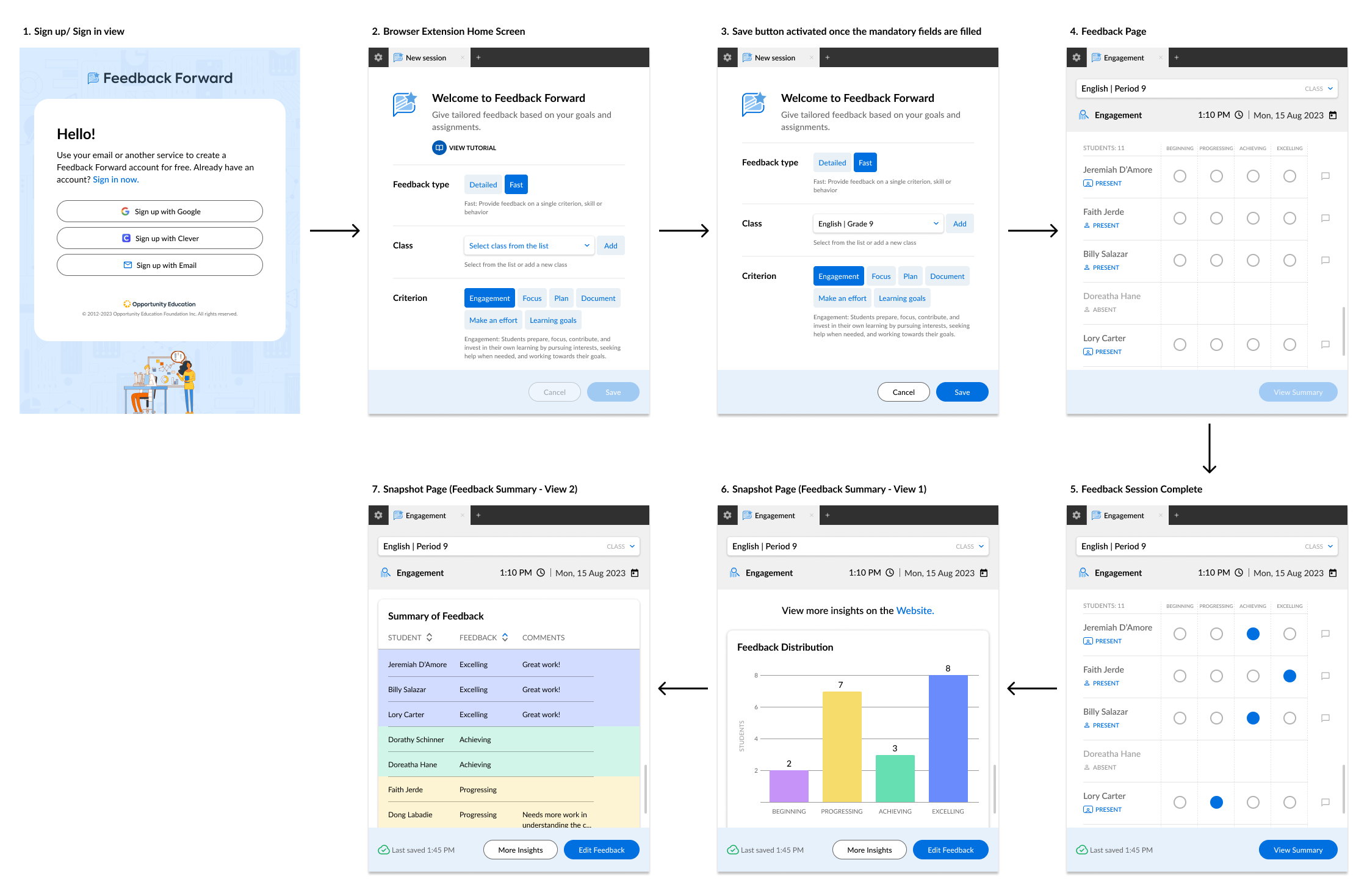
Feature set:
- Developed a feedback system, with Engagement as the default criterion (as per requirements) and options for customization.
- Implemented a simple user interface optimized to reduce the overall time taken to provide feedback with radio buttons and optional comment fields.
- Included a dropdown feature for easy attendance tracking.
- Enabled teachers to see the full list of students in a class and quickly provide feedback for the entire class at once.
- Associated feedback with the date it was given, with an auto-refresh feature for the current date.
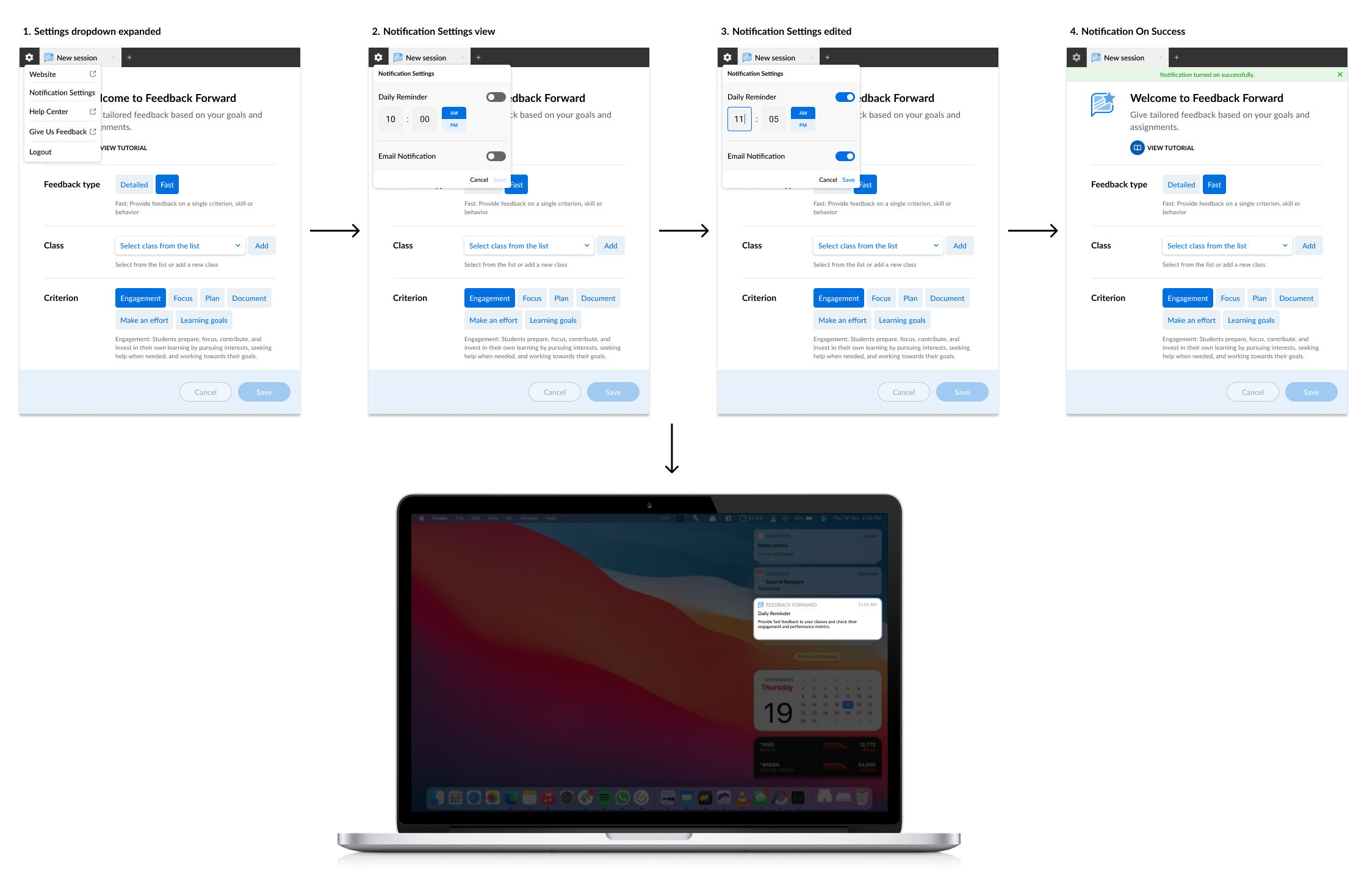
Notifications:
- Enabled optional notifications for reminders to complete feedback (daily, weekly, or custom).
- Provided both in-extension and email notifications for completing feedback items.
Student Experience:
- Allowed students to link to trends across the past week and comment or ask questions to their teacher.
- Created a graph for students with accounts to view their feedback over time for each criterion.
Teacher Insights:
- Planned insights to include trends comparison week-to-week and a history graph of scores for classes, with filters for individual students.
Success Metrics
- Teacher Satisfaction: Measured through surveys and interviews, showing high satisfaction with ease of use, efficiency, and the ability to provide meaningful feedback.
- Adoption Rate: Tracked the regular use of the feature by teachers, showing it becoming a standard practice in schools.
- Time Saved: Tracked the time taken for teachers to provide feedback before and after the feature’s implementation, showing significant time savings.
- Customization Rate: Monitored how many teachers customized the indicator language, showing a high rate of customization.
- Notification Response Rate: Tracked the setup and response to notifications, showing a positive response rate.
- Student Engagement: Measured through observations, surveys, and student feedback, indicating improved engagement and motivation.
- Student Performance: Assessed through grades and other performance indicators, showing improved student outcomes.
The new Feedback Forward Extension standardized the feedback process, ensured all students received appropriate feedback during their class and ultimately improved engagement and academic outcomes. The project was completed on schedule with the first draft ready by March 27, 2023 and has been used by Opportunity Education Network Schools since May 2023.

 Meenakshi's Portfolio
Leave a comment